Widgets for the Home Screen and Lock Screen
Month, This Week, Agenda, Tasks, and Days widgets in small, medium, and large — plus a countdown for the Lock Screen. Tap any row to open that exact item.
Free on the App Store — paid later
Calendar, tasks, Pomodoro, countdowns, and public holidays worldwide — one click away in your Mac's menu bar, and in your pocket on iPhone and iPad. Two-way sync with Apple's Calendar and Reminders, no account, and nothing tracked.
Core
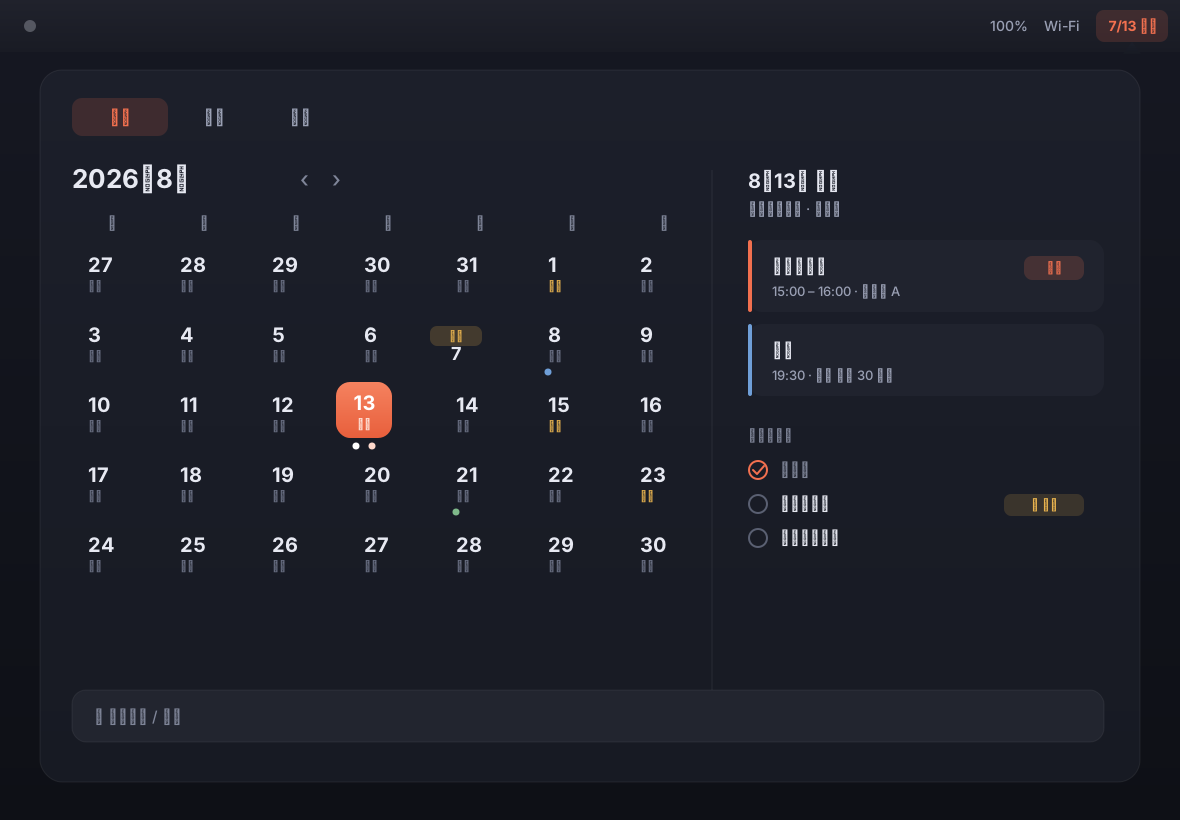
Your real events and tasks, holidays from anywhere, and focus — all from the menu bar, without stealing your attention or asking for a new account.
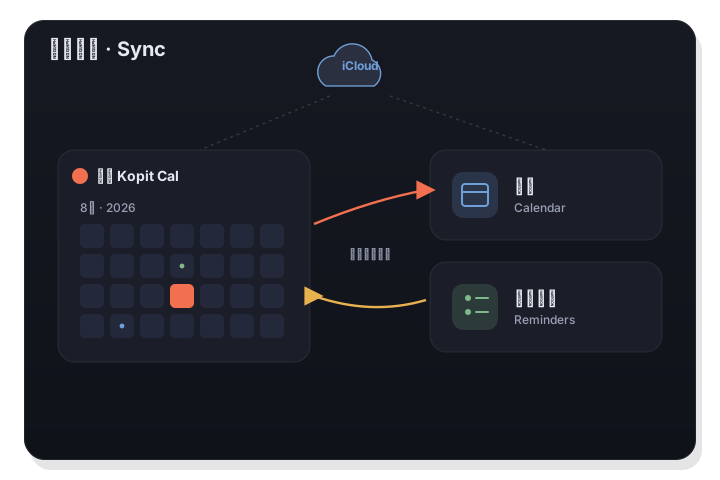
LiLi Cal reads and writes your real system Calendar and Reminders through Apple's EventKit. There's no third-party account and no separate database — so everything already syncs across your devices through iCloud.
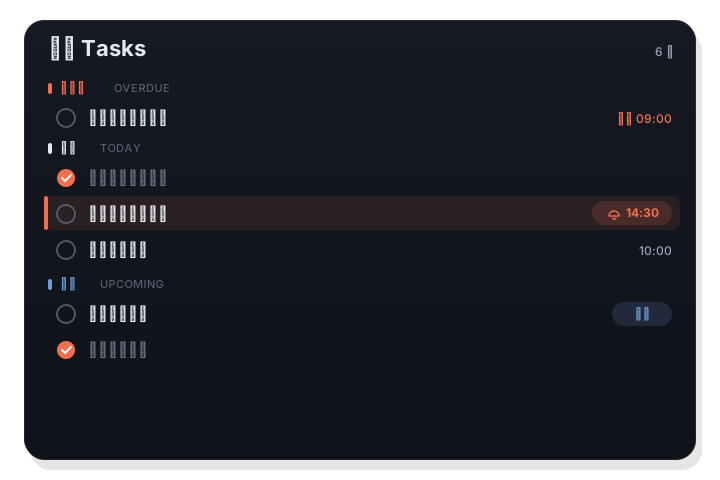
A dedicated Tasks tab groups everything by Overdue, Today, Upcoming, and No date. Add inline with a keystroke, set a reminder time, and start a Pomodoro on any task — all without leaving the menu bar.
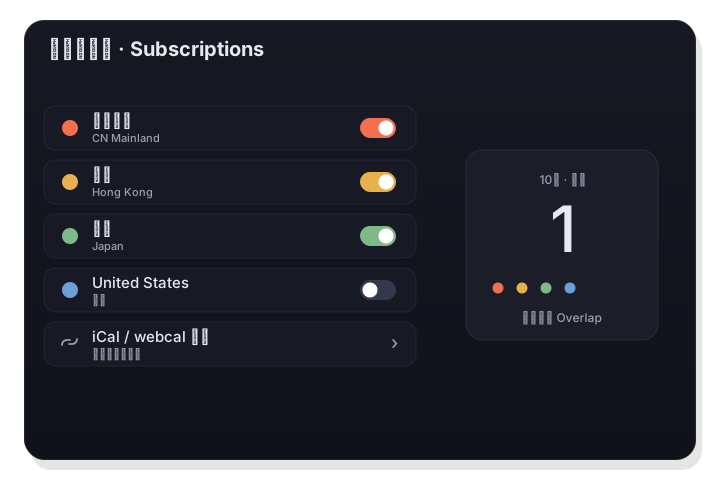
Subscribe to public holidays for ~150 countries from the free Nager.Date service, or add any iCal / webcal link — each with its own color. China's statutory holidays with make-up days (调休) and Hong Kong's are built in, so the China region is covered out of the box.
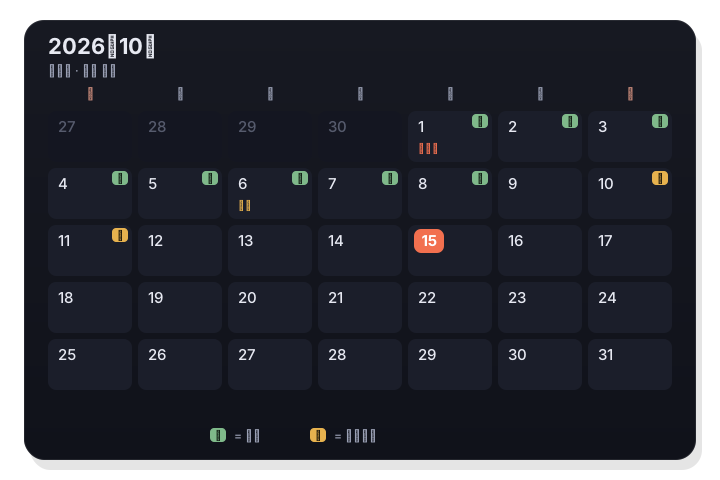
Scroll through a clean month grid with your events and holidays at a glance. And when you want them, every day carries its Chinese lunar date, the 24 solar terms, and traditional festivals — layered in, never in the way.
iPhone & iPad
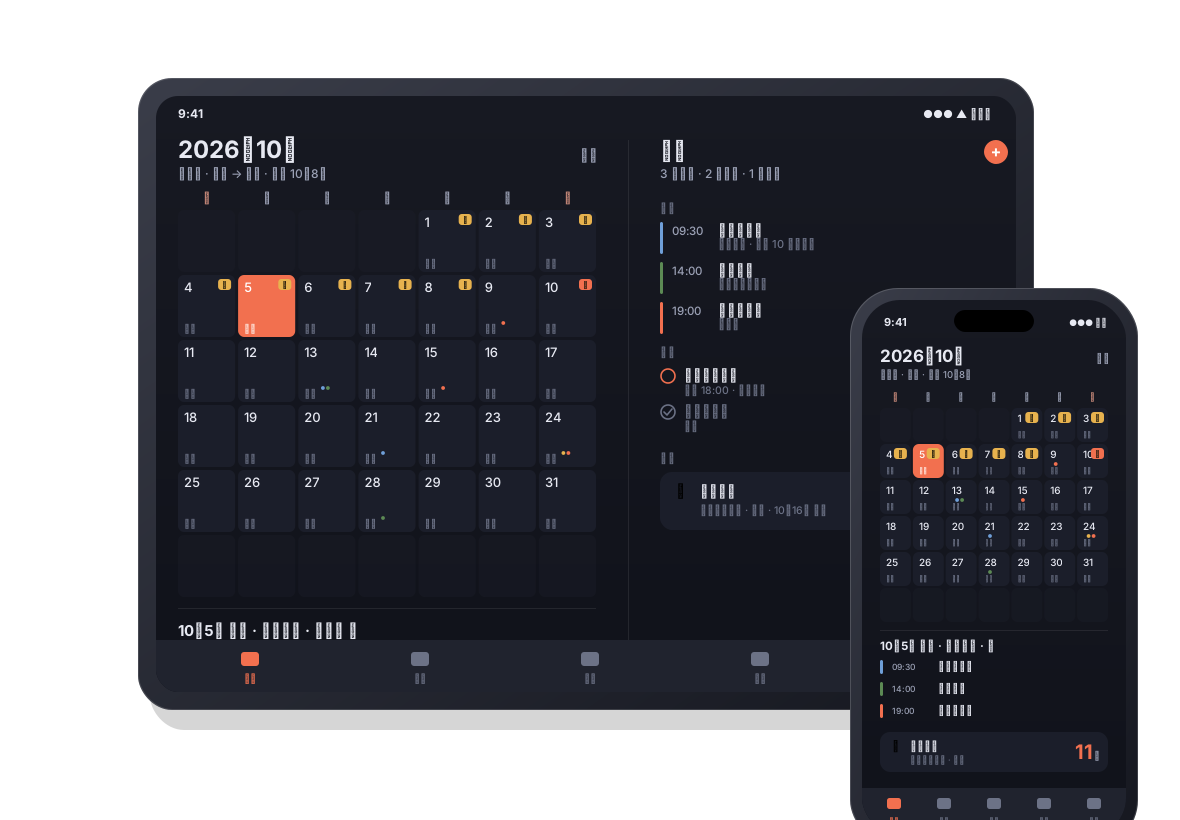
LiLi Cal for iPhone and iPad is the same app from the same App Store listing — your events, tasks, and Days, with widgets instead of a menu bar.
Month, This Week, Agenda, Tasks, and Days widgets in small, medium, and large — plus a countdown for the Lock Screen. Tap any row to open that exact item.
On iPad and in landscape on iPhone, the list sits on the left and the editor on the right. An extra-large widget fits the iPad Home Screen.
Birthdays, anniversaries, and countdowns sync between your Mac, iPhone, and iPad through your own iCloud — in real time, with nothing stored on our servers.
Mac, iPhone, and iPad share one App Store listing. Download it once while it is free and it is yours on all of them — and the early-adopter pledge covers them all.
Keyboard-first
A panel you can drive entirely from the keyboard, and a menu-bar app that stays out of your way.
A menu-bar app with no Dock icon. The panel opens under the status item, and clicking away or pressing Esc dismisses it — never stealing focus.
Cycle Calendar / Agenda / Tasks with Tab, jump months, add tasks, and set reminders without reaching for the mouse.
Standout
LiLi Cal is more than a date grid — it's a command center for holidays, meetings, and focus, right in the menu bar.
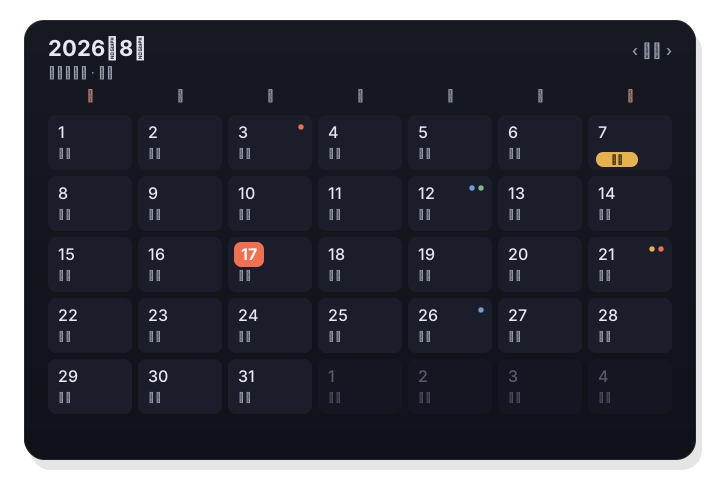
Add any country or region — LiLi Cal pulls ~150 countries from the free Nager.Date service, and it takes any iCal / webcal link too. Give each source its own color; a day with holidays in several regions shows several colored dots. (Mainland China and Hong Kong are built in.)
LiLi Cal recognizes meeting links in your events and can take over the pre-meeting notification, with a one-click join and a lead time you set. Never dig a Zoom link out of your calendar again.
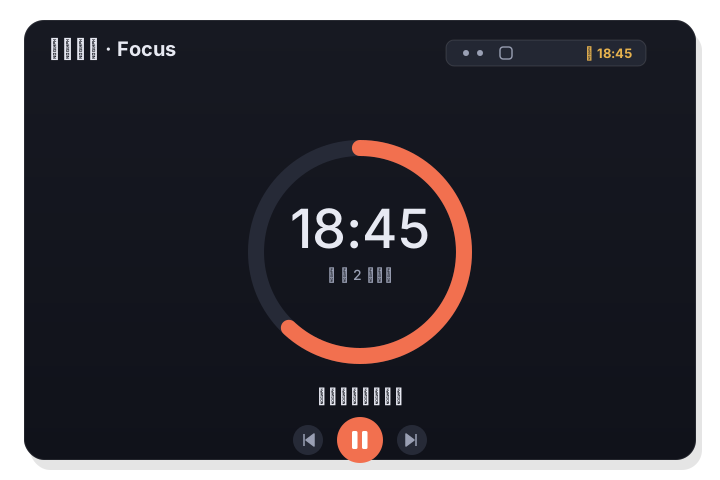
Start a Pomodoro from any task, watch the countdown in the menu bar, and let breaks flow automatically. When a session ends you can complete the task or roll straight into the next tomato.
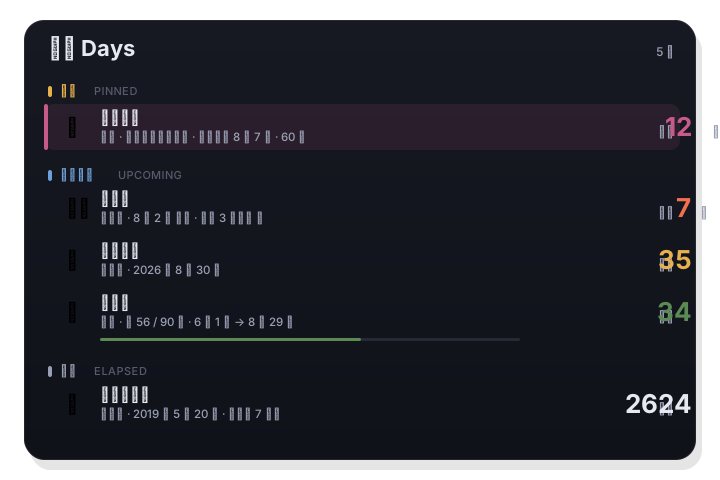
A birthday, a wedding anniversary, a passport expiry, day 56 of a 90-day probation. The Days tab keeps every one of those numbers current: five ready-made types, yearly repeats, reminders ahead of time, and a countdown widget for your desktop.
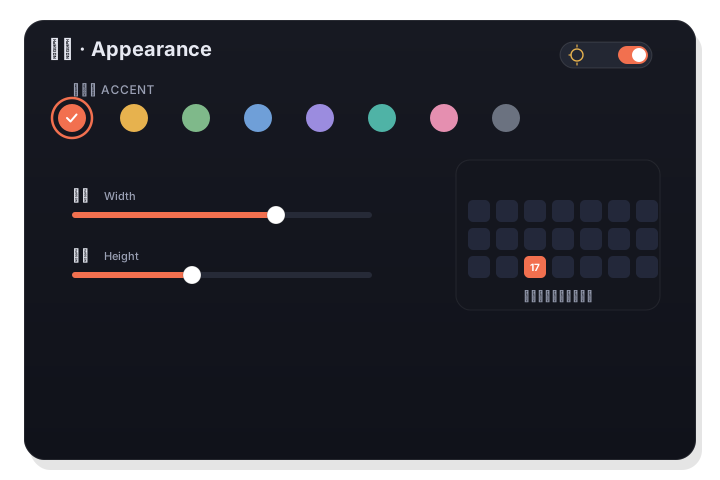
Eight preset accent colors plus a full custom picker recolor today's highlight, the selection ring, and event dots. Independent sliders resize the calendar's width and height, and you decide what the menu-bar title shows.
Privacy & security
LiLi Cal is local-first by design. It works through Apple's own frameworks and your iCloud — no third-party account, no analytics, no tracking.
Your events and tasks live in the system Calendar and Reminders through Apple's EventKit — and, if you use iCloud, in your own iCloud account. LiLi Cal runs no servers that store your data.
There's no LiLi Cal login and no third-party sign-in. The app ships with no analytics, telemetry, advertising, or tracking of any kind.
Calendar and Reminders access is requested through macOS the first time you use it, and you can revoke it in System Settings at any time. The App Store build is sandboxed.
Public-holiday feeds (holiday-cn, Nager.Date, and any iCal links you add) are read over HTTPS to show dates. Nothing about you is sent along with those requests.
Customize
Tune appearance, the menu-bar title, notifications, holiday sources, and what shows up in the panel to fit how you work.
Use cases
Keep meetings and deadlines in view, add them the moment they come up, and plan around the holidays that affect your week.
Subscribe to holidays for every country you work with — each with its own color, so overlapping calendars stay readable at a glance.
Keep birthdays and festivals in view — and if you follow the Chinese calendar, the lunar date, 节气, and festivals are right there too.
Turn a task into a Pomodoro, watch the timer in the menu bar, and let work-and-break cycles keep you moving.
Pricing
LiLi Cal is free to download while it is in early access. It will become a paid app later — and every download made while it is free stays yours, on Mac, iPhone, and iPad, updates included. New users will pay; you will not.
LiLi Cal
A calendar and tasks companion for your Mac menu bar, iPhone, and iPad.
macOS 14.0+ · iOS 17+ · iPadOS 17+
One App Store listing for Mac, iPhone, and iPad — download it once, use it everywhere.
FAQ
Everything you might want to know before you download.
LiLi Cal is a calendar and tasks app for Mac, iPhone, and iPad. On the Mac it lives in the menu bar; on iPhone and iPad it is a full app with Home Screen and Lock Screen widgets. It syncs two-way with the system Calendar and Reminders, subscribes to holidays worldwide, and includes tasks, a Pomodoro timer, and Days for countdowns. It also has deep, built-in support for the Chinese lunar calendar and China/Hong Kong holidays.
On the Mac, LiLi Cal runs on macOS 14 Sonoma and later, on both Apple Silicon and Intel, as a single universal build. On iPhone and iPad it requires iOS 17 or iPadOS 17 and later.
It is free to download today, with no ads and no in-app purchase. LiLi Cal is in early access and is planned to become a paid app on the App Store later. Anyone who downloads it while it is free keeps it on Mac, iPhone, and iPad, future updates included.
Only new users pay. If you downloaded LiLi Cal while it was free, it stays in your Apple ID's purchase history and keeps updating at no charge — there is no code to redeem and no account to create. If you are ever asked to pay for it on a Mac, iPhone, or iPad you own, email lilical@kopit.app and we will sort it out.
Yes, two-way. LiLi Cal reads and writes your real system Calendar and Reminders through Apple's EventKit, so there's no separate database and everything already syncs across your devices through iCloud.
Yes. Add any of ~150 countries and regions from the free Nager.Date service (no API key), or paste any iCal / webcal link. Each source gets its own color, and multiple regions on the same day show as side-by-side dots.
Holiday subscriptionsYes. Your events and tasks stay in the system Calendar and Reminders — and, with iCloud, in your own iCloud account. There's no LiLi Cal account, no analytics, and no tracking. Holiday feeds are fetched over HTTPS to show dates, with nothing about you attached.
Yes. Start a Pomodoro on any task, watch the countdown in the menu bar, and let work-and-break cycles run automatically.
PomodoroYes. The Days tab handles countdowns, birthdays, anniversaries, elapsed-day streaks, and date ranges with a progress bar. Entries can repeat yearly on the Gregorian or the Chinese lunar calendar, remind you days ahead, and appear in a desktop widget.
Countdowns & anniversariesYes. Every day can show its lunar date, and the 24 solar terms and traditional festivals appear on the calendar. If you don't need it, hide the lunar layer for a plain Gregorian view.
Lunar calendarYes. For the China region, LiLi Cal uses the open holiday-cn dataset, so days off are marked 休 and make-up workdays are marked 班 — the detail international calendars get wrong. It updates incrementally online as new years are published.
Statutory holidays & 调休Yes, Hong Kong public holidays are built in. You can also add Macau, Taiwan, or any other region as a subscription.
Yes. LiLi Cal for iPhone and iPad shares the same App Store listing as the Mac app, so one download covers all three. It brings the month calendar with lunar dates and holidays, your Calendar events and Reminders tasks, Days, and a set of Home Screen and Lock Screen widgets — with a two-column layout on iPad.
LiLi Cal on iPhone & iPadNo. Mac, iPhone, and iPad are one universal purchase under one App Store listing. Download it while it is free and it is yours on every device signed in to your Apple ID; when it becomes paid, the early-adopter pledge covers all of them.
Free now — paid later
Events, tasks, meetings, and focus — with holidays from anywhere and the Chinese calendar built in. In the menu bar on your Mac, in your pocket on iPhone and iPad, and free while LiLi Cal is in early access: download it now and it is yours.