Themes & appearance
Make the panel yours.
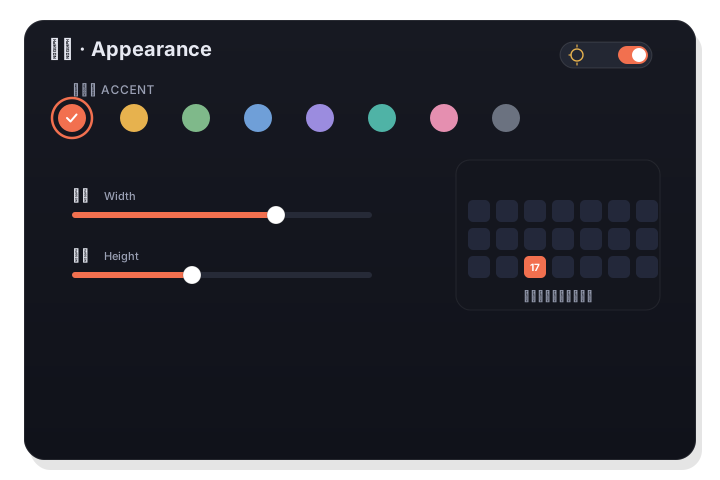
Eight preset accent colors and a full custom picker recolor today's highlight, the selection ring, and event dots. Resize the calendar with independent sliders, follow light or dark, and choose exactly what the menu-bar title shows.
Appearance follows the system, or lock it to light or dark.
How it works
- 1
Pick an accent
Choose one of eight preset accent colors, or open the custom picker for any color you like. It applies to today's highlight, the selection ring, and event dots.
- 2
Size the calendar
Use independent width and height sliders to resize the calendar area; the whole panel adapts to fit.
- 3
Set the menu-bar title
Decide what shows in the menu bar — the date, the weekday, the lunar day — formatted the way you like.
Color that means something
The accent isn't just decoration — it's how today, your selection, and your events read at a glance. Eight tuned presets cover most tastes, and the custom picker handles the rest.
- 8 preset accent colors
- Custom color picker for anything else
- Recolors today, selection, and event dots
A panel that fits your screen
The calendar area resizes with independent width and height sliders, and the panel follows. Light, dark, or system appearance keeps it comfortable day and night.
- Independent width / height sliders
- Light, dark, or system appearance
- Configurable menu-bar title
Good to know
- Presets
- 8 accent colors
- Custom
- Full custom color picker
- Applies to
- Today, selection ring, event dots
- Panel size
- Independent width / height sliders
- Appearance
- Light, dark, or system
- Menu bar
- Configurable date / weekday / lunar title