Days
Every date you keep counting, counted for you.
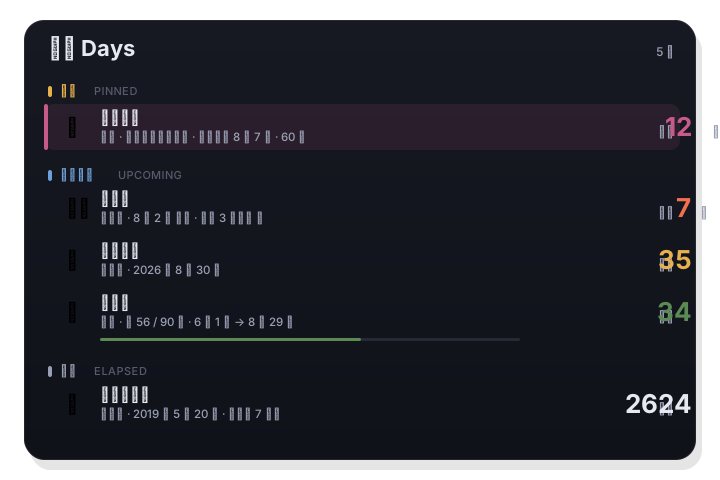
Days is the tab for dates you do mental arithmetic on — a birthday, a wedding anniversary, a passport expiry, day 56 of a 90-day probation. Say what kind of day it is, set the date, and LiLi Cal keeps the number current in the panel, on the calendar, and in a widget on your desktop.
Open the Days tab in the panel, or put the countdown widget on your desktop.
How it works
- 1
Say what kind of day it is
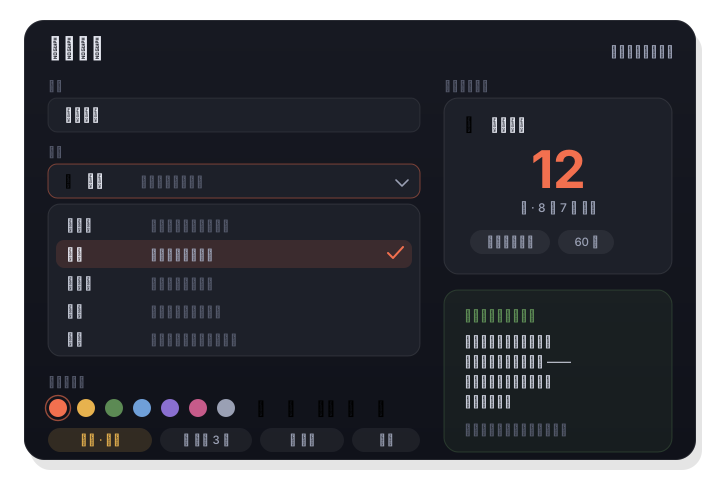
Pick one of five types — Countdown, Birthday, Anniversary, Elapsed, or Range — and the counting direction, the wording, and the defaults are set for you.
- 2
Set the date
Choose a date on the Gregorian or the Chinese lunar calendar, and whether it repeats every year. The picker is limited by type, and a live preview shows the result before you save.
- 3
Let it count
The entry lands in the Days list, on the month grid, in the calendar tab's countdown section, and in the widget — with reminders days ahead or on the day itself.
Five types instead of a blank form
Countdown for a flight, an exam, a visa expiry. Birthday counts the age. Anniversary counts the Nth year. Elapsed counts up — days since you quit, days since the baby arrived. Range tracks a stretch of time with a progress bar: a pregnancy, a probation period, a project. Pick the type and everything else follows.
- Countdown / Birthday / Anniversary / Elapsed / Range
- Ranges show a progress bar and the days left
- Emoji icon, color, and pin-to-top, one tap each
Lunar birthdays land on the right day, every year
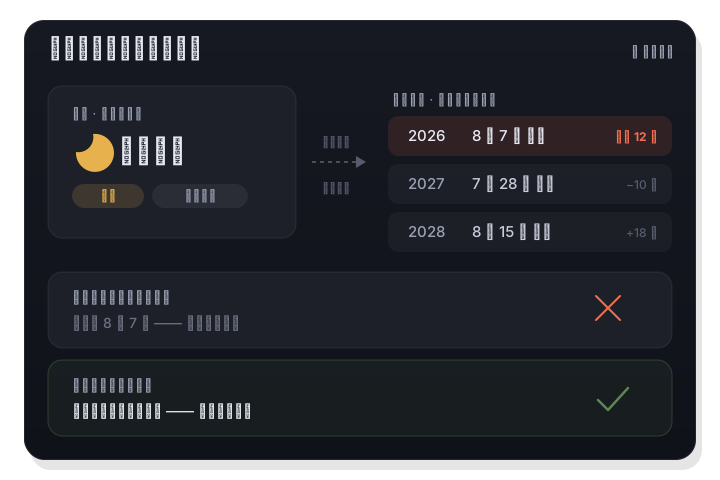
A lunar date drifts across the Gregorian calendar, so a yearly repeat in the system Calendar is already wrong by the second year. LiLi Cal resolves the lunar date again for every year and moves the reminder with it — including how you want leap months handled.
- Repeat yearly on the Gregorian or the Chinese lunar calendar
- Leap-month policy: regular month, prefer leap, or leap years only
- Reminders follow the recalculated date
On your desktop, and in the panel
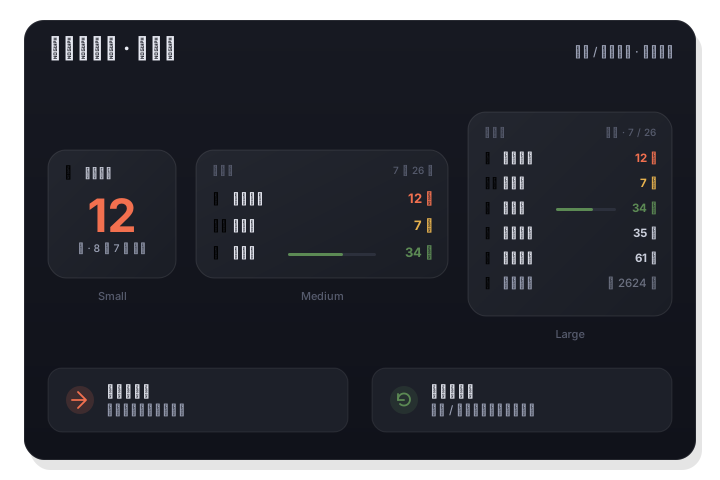
The LiLi Countdown widget comes in three sizes: one big number, or a list of what is next, with progress bars for ranges. Click a row to jump straight to that entry, and the widget refreshes as soon as you add or edit one. In the panel, entries also mark the month grid and the selected day.
- Desktop / Notification Center widget in three sizes
- Click a row to open that entry
- Marked on the month grid and in the selected-day detail
Good to know
- Types
- Countdown / Birthday / Anniversary / Elapsed / Range
- Repeat
- Once, yearly on the Gregorian calendar, or yearly on the lunar calendar
- Precision
- Whole days, or down to a time of day
- Reminders
- Several per entry — N days before, or on the day
- Shows up in
- Days tab, month grid, selected day, and the widget
- Stored
- In LiLi Cal on your Mac, so your system Calendar stays uncluttered