Tasks
Tasks, right where your dates are.
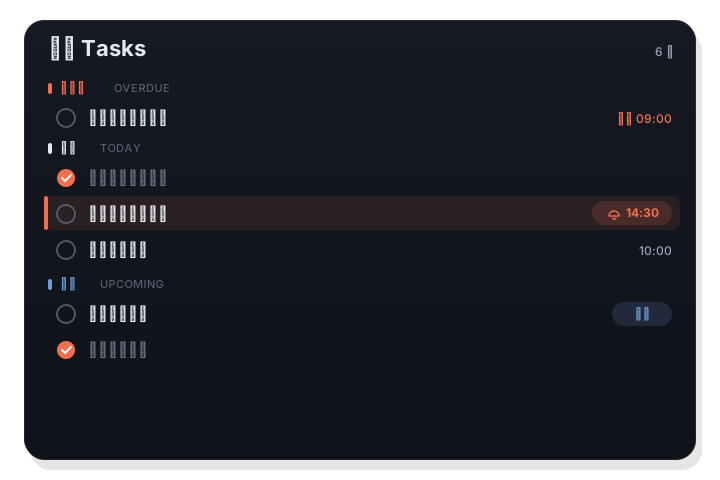
A dedicated Tasks tab groups everything by Overdue, Today, Upcoming, and No date. Add inline with a keystroke, set a reminder time, tick things off, and start a Pomodoro on whatever you're working on.
Tasks are your real system Reminders — so they sync everywhere through iCloud.
How it works
- 1
Add inline
Type a title and press Return to create a task instantly. It goes straight into your system Reminders, and the field keeps focus so you can add several in a row.
- 2
Set a reminder
Tap the 🔔 to set a reminder date and time. The input keeps focus so you can add several tasks in a row.
- 3
Work the list
Tasks group by overdue / today / upcoming / no date. Check to complete, show completed when you want, and right-click to delete.
Grouped the way you think
Instead of one long list, tasks fall into Overdue, Today, Upcoming, and No date — so the important things are always on top. Turn on Show completed to see what you've cleared.
- Overdue / today / upcoming / no date groups
- Inline add — a title and Return is enough
- Show-completed toggle and right-click delete
From task to focus
Any task can become a Pomodoro. Choose Focus on this task and the timer starts in the menu bar, so a to-do turns into a working session without leaving the panel.
- Start a Pomodoro focused on a task
- Complete the task when the session ends
- Backed by system Reminders — synced via iCloud
Good to know
- Backed by
- System Reminders (EventKit)
- Groups
- Overdue / today / upcoming / no date
- Add
- Inline, one keystroke
- Reminders
- Per-task date and time
- Focus
- Start a Pomodoro from any task
- Sync
- Via iCloud, across your devices