One download, one price
Mac, iPhone, and iPad are a single universal purchase. Download it while it is free and it is yours on every device signed in to your Apple ID; the early-adopter pledge covers all of them.
iPhone & iPad · iOS 17+
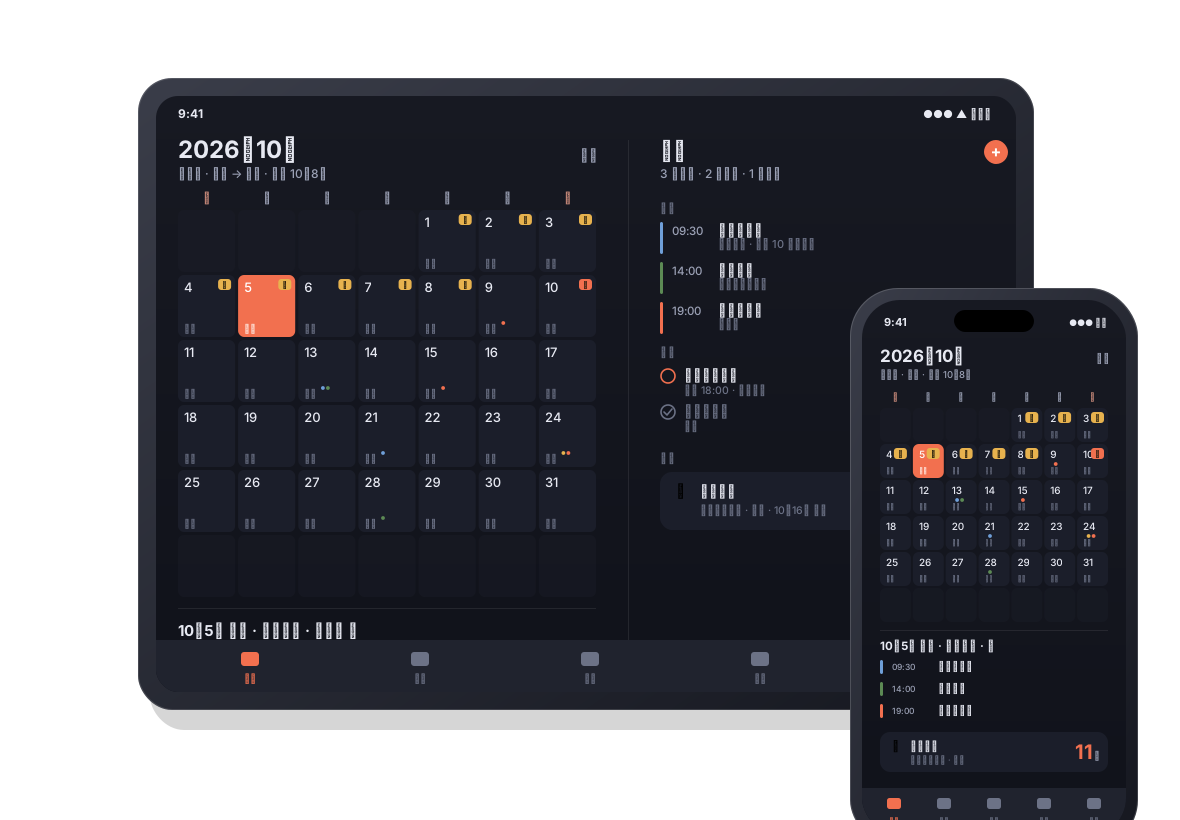
Everything you keep in LiLi Cal on the Mac — your real Calendar and Reminders, holidays, and the days you count — on iPhone and iPad, with widgets for the Home Screen and Lock Screen and a two-column layout on iPad.
What you get
Same calendar core, same iCloud — with a tab bar, touch, and widgets in place of the menu bar.
A month grid that carries each day's lunar date, the 24 solar terms, traditional festivals, and mainland China's statutory holidays with 休 / 班 marks — always on, and offline. Tap a day for its events, tasks, and Days; touch and hold to add something on that date. Subscribe to public holidays for 33 more countries and regions, each in its own color.
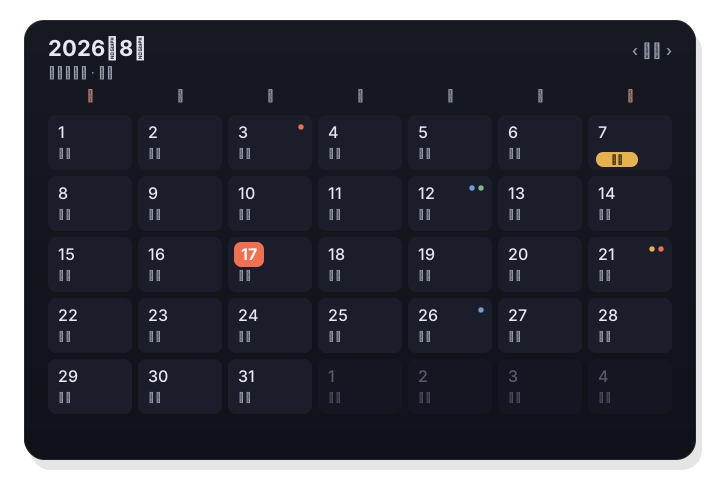
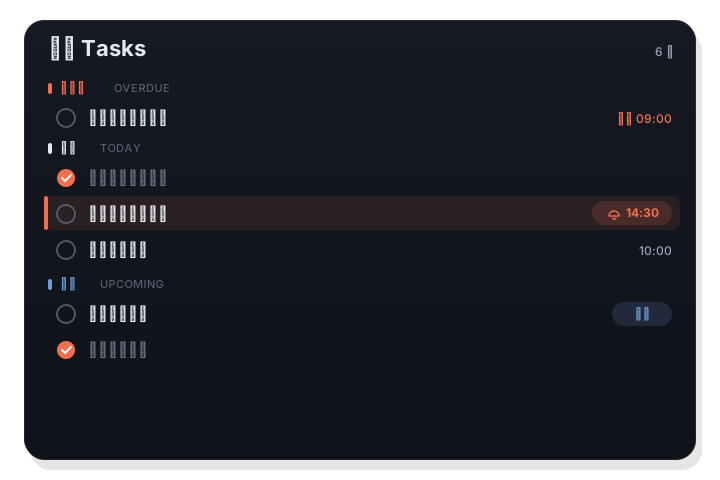
Events come straight from the system Calendar and tasks from Reminders, read and written in place through Apple's EventKit. The Agenda tab groups the week ahead by day; the Tasks tab groups by overdue, today, upcoming, and no date. Meeting invitations get a pre-meeting notification with one-tap join.
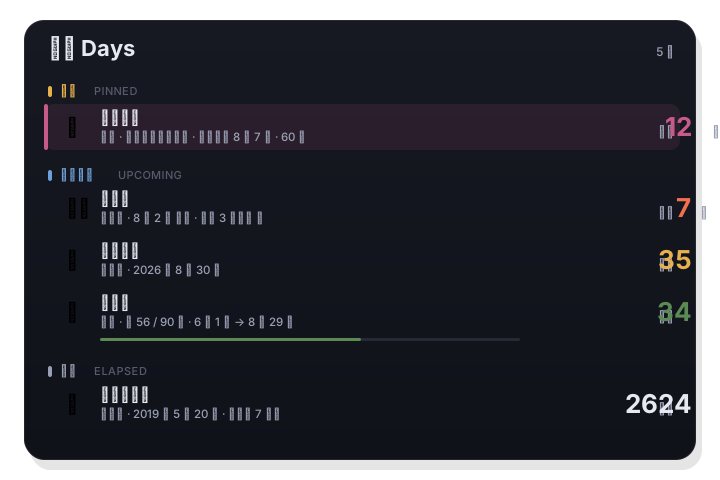
Birthdays, anniversaries, deadlines, streaks, and date ranges — the same five types as on the Mac, with yearly repeats on the lunar calendar and reminders ahead of time. Entries sync between your Mac, iPhone, and iPad through your own iCloud in real time, and the nearest one sits on your Lock Screen.
On iPhone the menu bar becomes widgets: Month, This Week, Agenda, Tasks, and Days in small, medium, and large, an extra-large size for the iPad Home Screen, and a Days countdown for the Lock Screen. Tap any row to open that exact item; day counts advance every morning even if you have not opened the app.
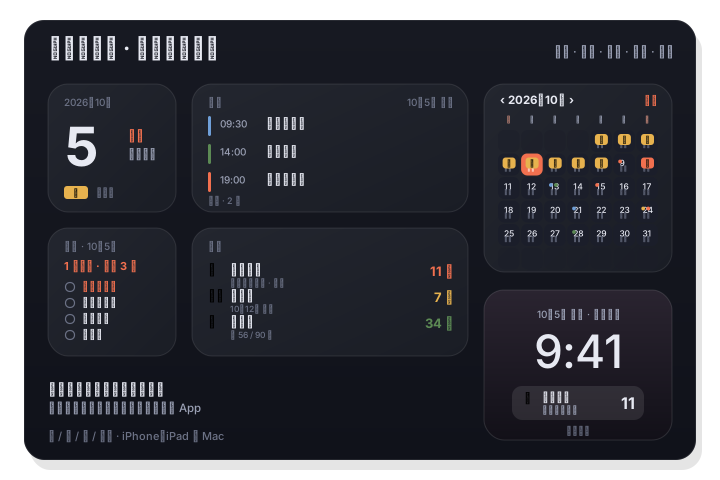
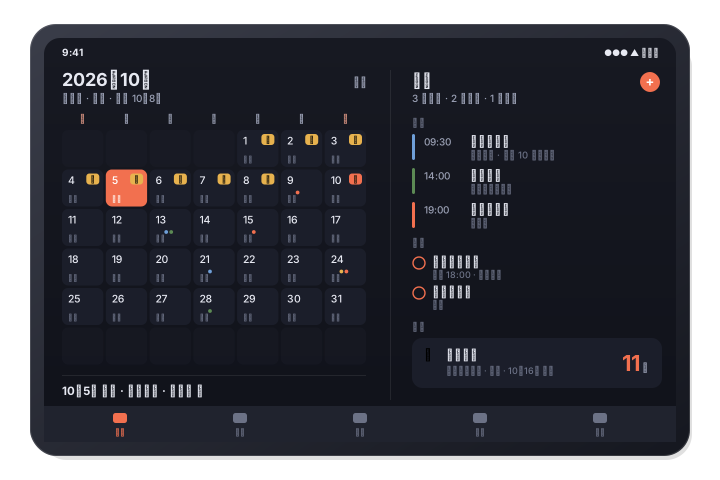
On iPad — and in landscape on larger iPhones — LiLi Cal splits into two columns: the list on the left, the selected day or item on the right. Tabs can be switched on or off and dragged into the order you want, and the month grid shows up to eight weeks at once.
Mac + iPhone + iPad
LiLi Cal for Mac and for iPhone and iPad share one App Store listing, one price, and one iCloud.
Mac, iPhone, and iPad are a single universal purchase. Download it while it is free and it is yours on every device signed in to your Apple ID; the early-adopter pledge covers all of them.
Days entries and your preferences sync through your own private iCloud database, which we cannot read. Add a birthday on your iPhone and it is on your Mac before you put the phone down.
Because LiLi Cal reads the system Calendar and Reminders, your events and tasks are already on every device through iCloud — nothing extra to set up.
Side by side
The two apps share one core and one iCloud, but each fits its platform. Here is what differs.
| Feature | Mac | iPhone & iPad |
|---|---|---|
| Where it lives | Menu-bar panel, no Dock icon | Full app with a tab bar; two columns on iPad |
| Widgets | Desktop and Notification Center: Month, Agenda, Tasks, Days | Home Screen: Month, This Week, Agenda, Tasks, Days · Lock Screen countdown |
| Lunar calendar, solar terms, festivals | ✓ | ✓ |
| China statutory holidays with 休 / 班 | ✓ | ✓ |
| Holiday subscriptions | ~150 countries via Nager.Date, plus any iCal / webcal link | 33 countries and regions, each in its own color |
| Calendar & Reminders two-way sync | ✓ | ✓ |
| Pre-meeting notifications with one-tap join | ✓ | ✓ |
| Days (countdowns & anniversaries) | ✓ — syncs with iPhone and iPad | ✓ — syncs with the Mac |
| Pomodoro | On by default, countdown in the menu bar | Off by default — switch it on in Settings |
| Keyboard shortcuts | Tab, Return, ‹ ›, Esc, and more | — |
| Appearance | Light / dark, 8 accent colors + a custom picker, resizable panel | Warm paper, white, or dark; follows the system |
| Requires | macOS 14+ | iOS 17+ / iPadOS 17+ |
FAQ
Yes — same name, same App Store listing, same iCloud. Mac and iOS share one calendar core, so lunar dates, holidays, and Days behave the same; the shells differ to fit each platform (a menu-bar panel on the Mac, a tab bar and widgets on iPhone).
No. LiLi Cal for iPhone and iPad works entirely on its own. If you also use the Mac app, Days and settings sync between them through your iCloud.
No. It is one universal purchase. Today it is free while in early access; when it becomes a paid app, anyone who downloaded it while free keeps it on Mac, iPhone, and iPad, updates included. If you are ever asked to pay on a device of your own, email hello@kopit.app and we will sort it out.
Any iPhone running iOS 17 or later and any iPad running iPadOS 17 or later. Widgets work on the Home Screen and Lock Screen; the extra-large widget is for the iPad Home Screen.
Yes. Events and tasks stay in the system Calendar and Reminders on your device. Days sync through your own private iCloud database, which we cannot read. There is no account, no analytics, and no tracking; the only network requests fetch public holiday data.
Free now — paid later
Lunar dates, holidays, your Calendar and Reminders, Days, and widgets — on iPhone and iPad, free while LiLi Cal is in early access. One download covers your Mac too.