Guide
What to look for in a menu-bar calendar for Mac
A menu-bar calendar should be one click away, sync with your real calendar, and show the context you actually need. This guide covers what matters and how LiLi Cal approaches each point.
Puntos clave
- The best menu-bar calendar is always one click away without a Dock icon.
- It should sync with your system Calendar and Reminders, not a separate store.
- For the China region, lunar dates and 调休 holidays are what most apps miss.
Instant access from the menu bar
The whole point of a menu-bar calendar is speed: you should be able to check your day without switching windows or opening a full app. Look for one that lives entirely in the menu bar and opens with a single click. LiLi Cal has no Dock icon and opens its panel directly from the menu-bar title.
- Opens in one click from the menu bar.
- No Dock icon or window clutter.
- Menu-bar title can show the date, weekday, or lunar day.
Real sync with your system apps
A calendar is only useful if it shows your actual events. Prefer an app that reads and writes your existing calendars rather than asking you to migrate. LiLi Cal uses Apple EventKit for two-way sync with the system Calendar and Reminders, so there is no new account and multi-device sync rides on iCloud.
- Two-way sync with Calendar and Reminders.
- No third-party account to create.
- Multi-device through your existing iCloud.
The context that matters in China
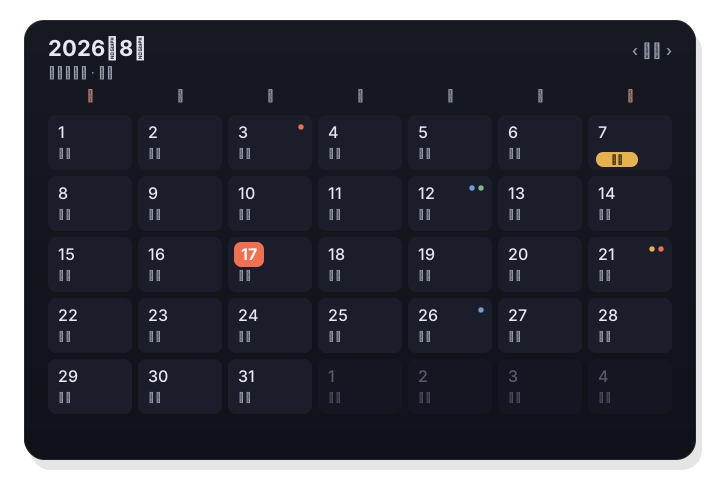
Generic calendars rarely handle the Chinese context well. If you are in the China region, the lunar date, solar terms, and statutory holidays with make-up workdays are exactly what you need at a glance. LiLi Cal shows lunar dates and the 24 solar terms, and badges holidays with 休 and 班 for 调休.
- Lunar dates (农历) and 24 solar terms (二十四节气).
- Statutory holidays with 调休 badged 休 and 班.
- Built-in Hong Kong public holidays.
Native, and free to start
How an app is built and what it costs decide whether you keep it. Prefer a native menu-bar calendar with real two-way sync, at a price that does not get in the way. LiLi Cal is a native menu-bar calendar with two-way Calendar and Reminders sync through EventKit, free to download on the Mac App Store while it is in early access.
- Native menu-bar calendar with no Dock icon.
- Two-way Calendar and Reminders sync via EventKit.
- Free during early access on the Mac App Store, macOS 14+.
Preguntas frecuentes
Is a menu-bar calendar a replacement for Apple Calendar?
It is more of a fast front end. LiLi Cal syncs with Apple Calendar and Reminders through EventKit, so it complements them rather than replacing your data.
What makes a menu-bar calendar good for the China region?
Coverage of the lunar calendar, solar terms, and statutory holidays with make-up workdays. LiLi Cal handles all three and badges 调休 with 休 and 班.